WinCTRL
WinWing Devices
How to Add WinWing MCDU and CDU Devices to SPAD.neXt. This video will also explain the Global Device Setting and the Profile specific Settings. Basic Walk through of downloading a Snippet and some of the UI functions — like using CTRL Key to show mappable Buttons and Events.
 https://youtu.be/OX5Wj0sOQPw
The FFX C750 CitationX is able via the Community Mod to deliver the CDU / FMC Data for display on the SPAD supported CDU devices. This video focuses on the WW MCDU however ANY support CDU/MCDU will work in the same way.
 https://youtu.be/CnXtIN-aIGc
Add the WinWing FCU and EFIS Devices to SPAD.neXt.
We can quickly Add the hardware and then Download Published Device Snippets which get us going with our profiles!
 https://youtu.be/wsfjr2aq0M0
Maximize your PAP3 MCP usage! Using SPAD.neXt we can control the Autopilot systems of any airplane! Let's use the FFX Citation X as an example and fire up MSFS 2024 to get it working!
 https://youtu.be/COh2dEzkHX4
PMDG 737 introduces a new FANS2/B layout configuration. In this video we will show you how to find the PMDG Switch Numbers and Turn them into Rotor Brake Events.
Just like other events (cabin door or the Headset Sound) that have not been added to the PMDG SDK with release we can use the Rotor Brake Events directly. With PMDG — Send Events and Read Variables!! We use the WinCTRL PAP7 as the example hardware but this will work with any supported CDU
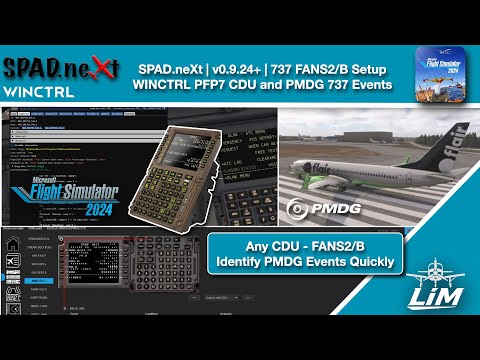 https://youtu.be/D3GEHB1VoM0
This Video Guide covers setting up the PAC32 with Addons in SPAD.neXt. How to download a Device Snippet for it — the example is using the Fenix A320 and even calibration of the axis in the MCDU. Get the throttles setup and flying in less than 5 minutes!
 https://youtu.be/PpmNlBhaGWM
In this video we get the MSFS WT747v2 Avionics exporting the CDU DATA.
We use SPAD to configure our hardware and display the WebSocket data on the Screens.
 https://youtu.be/Tc4zQvg8sd4
Hook up your Hardware CDU or Run the Bonus WEB CDU included with the Plugin. Download Plugin and install it in the MSFS 2024 Community to control the UNS-1 found in the WT 707 and the SAAB 340!
Download is linked in the Chapter Marker!
For a List of Supported Hardware CDU Devices in SPAD.neXt:
https://docs.spadnext.com/getting-started/supported-hardware
For the List of Supported Planes in SPAD.neXt for CDU Screen Support:
https://docs.spadnext.com/hardware-specific/cdu-devices
 https://youtu.be/67NAeFTEzG4