X-Touch Midi Mode
Configuration of Midi Devices
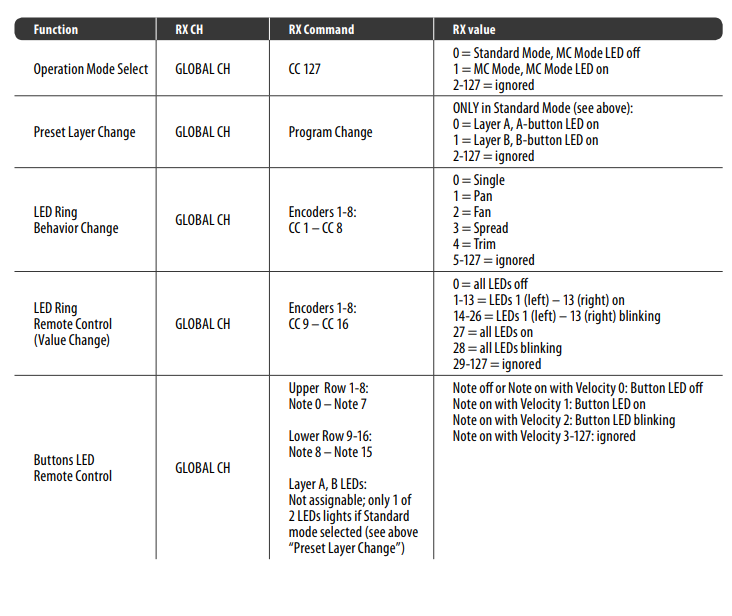
Starting with version 0.9.21 SPAD.neXt no longer supports the X-Touch mini midi mode. Please see the MC Mode section.
Setting up a Midi Device using the X-Touch Mini. Covers application configuration and UI to Hardware explanation. Example walkthrough for configuration Events to Encoder, Buttons and the LEDs to conditional events.
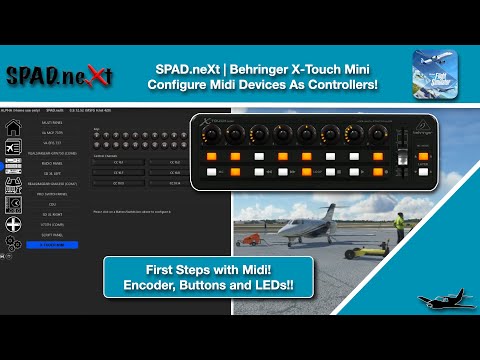 X-Touch Mini Initial Setup and Config Examples
Moving on from the Basics to controlling Axis with Control Change Values. We use the Slider/Fader of the XTouch to control some Overhead Lights and some Lvars!! We also throw in some review of using the Data Monitor and Event Monitor to figure out which variables or events we need to control.
 X-Touch Mini Slider/Fader Configuration
Use Local Variables and Conditional Events to put Multiple Functions onto a single Knob. Here we use the example of toggling a Variable on the X-Touch by pushing the Knob to flip between Heading and Speed Controls. We also setup a second Local Variable to make the Second Knob flip between Altitude adjustment in 100 Foot increments to 1000 Foot Increments.
 Local Variables, Conditional Events = Multiple Controls per Knob
In this video we map the XTouch Mini to work with the WT G1000 NXi and the SWS Kodiak! Note this layout and config should work with any G1000NXi equipped plane! Full Autopilot control, PFD, MFD and even COM/NAV Radios and Audio Support.. Perfect for VATSIM users!
 XTouch Setup for G1000 NXi
 MS ATR 600 X-Touch Autopilot Configuration